Dependency Inversion Principle in Unity (DIP)
Ever wanted to make a script that can interact with different kinds of objects without needing to know their specific concrete types beforehand? This Switch script demonstrates a common method to achieve this in Unity.
The Code (Switch.cs)
First, let's look at the full Switch.cs script:
How It Works
The Problem: You want a
Switchthat can alter the state of an entity—be it aDoor, aTrap, aLight, or another type of object. It is inefficient to write a separateSwitchimplementation for each distinct type.The Solution (Interfaces):
We define an
ISwitchable"contract" (an interface). Any component intended to be switchable (such as aDoororTrapscript) must implement this interface, which mandates anIsActiveproperty, anActivate()method, and aDeactivate()method.Example:
// In your Door.cs public class Door : MonoBehaviour, ISwitchable { private bool m_IsOpen = false; public bool IsActive => m_IsOpen; public void Activate() { m_IsOpen = true; Debug.Log("Door Opened!"); // Add door opening logic } public void Deactivate() { m_IsOpen = false; Debug.Log("Door Closed!"); // Add door closing logic } }The Inspector Trick:
Unity's Inspector cannot directly display a field for an interface type like
ISwitchable.Therefore, in
Switch.cs, we declare[SerializeField] private MonoBehaviour m_ClientBehavior;. This creates a slot in the Inspector where any component deriving fromMonoBehaviour(i.e., any script) attached to a GameObject can be assigned.When you assign your
Doorcomponent (which is aMonoBehaviourand also implementsISwitchable) to this slot,m_ClientBehaviorthen references thatDoorcomponent instance.
Making it Usable:
The line
private ISwitchable m_Client => m_ClientBehavior as ISwitchable;is an effective mechanism. It attempts to cast theMonoBehaviourreference assigned in the Inspector (m_ClientBehavior) to theISwitchableinterface type.If the assigned component (e.g., your
Doorscript) correctly implementsISwitchable, the cast succeeds, andm_Clientwill hold a valid reference to it as anISwitchable. Consequently, theToggle()method can invokem_Client.Activate()orm_Client.Deactivate()without needing to know the concrete type of the client, provided it adheres to theISwitchablecontract.
A Note for Server-Side C# Developers: Unity's Approach to Dependencies
If you're coming from a background in server-side .NET development, you might be used to injecting dependencies through constructors and validating them there. Here's how Unity's common practices differ for MonoBehaviour components like our Switch:
No Constructor Injection for Inspector Fields: While
MonoBehaviours can have constructors, Unity doesn't use them to inject dependencies that you assign in the Inspector (likem_ClientBehavior). Unity manages the creation and serialization of these objects.Awake()as the Initializer: TheAwake()method is the first Unity-specific lifecycle method called after aMonoBehaviouris instantiated and its serialized fields (like those set in the Inspector) are populated. This makesAwake()the idiomatic place for runtime initialization and critical dependency validation, similar to how you might use a constructor for validation in other .NET contexts. Ifm_ClientBehaviorisn't set up correctly,Awake()in ourSwitchlogs an error and disables the component.OnValidate()for Editor-Time Checks:OnValidate()is a Unity editor-specific callback that runs when a script is loaded or a value is changed in the Inspector. It provides immediate feedback during design time, helping you catch configuration errors before even running the game. This is a proactive way to ensure dependencies are correctly assigned.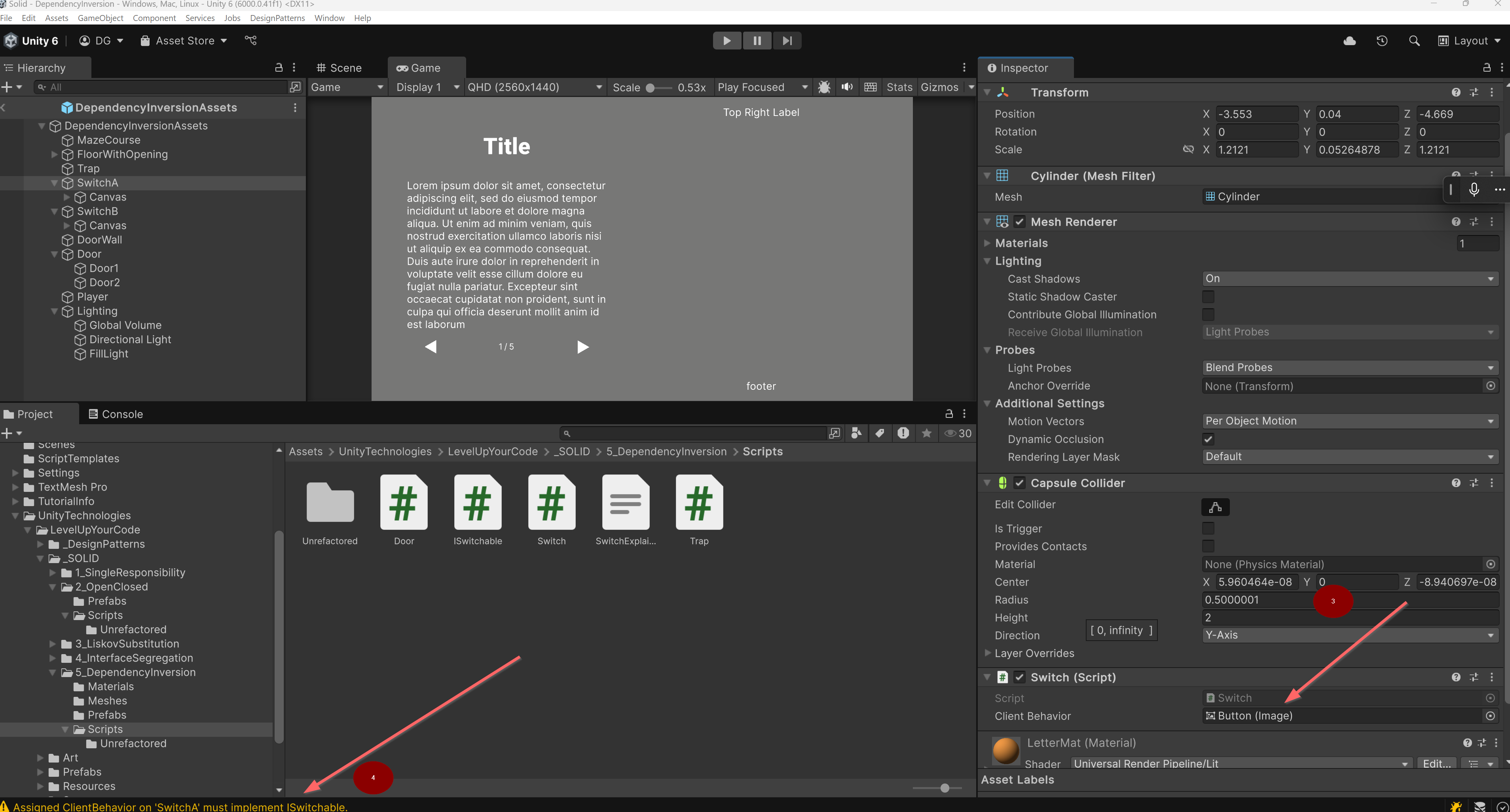
DI Frameworks as an Alternative: For more complex projects or for those who prefer a more traditional DI approach, Unity does support dedicated Dependency Injection frameworks (e.g., VContainer, Zenject). These can provide features like constructor injection for
MonoBehaviours, but they introduce their own setup and are typically adopted for larger-scale applications. The pattern shown in thisSwitchexample is a fundamental and common way to handle dependencies directly within Unity.
Wiring It Up in the Unity Editor (TBD)
Create a C# script, say
Door.cs, and make sure it inherits fromMonoBehaviourand implementsISwitchable(like the example above).Create another script, say
Trap.cs, also implementingISwitchable.In your scene, create a GameObject (e.g., an empty GameObject or a 3D model for a switch). Attach the
Switch.csscript to it.Create a GameObject for your door. Attach the
Door.csscript to it.Create a GameObject for your trap. Attach the
Trap.csscript to it.Select the GameObject that has the
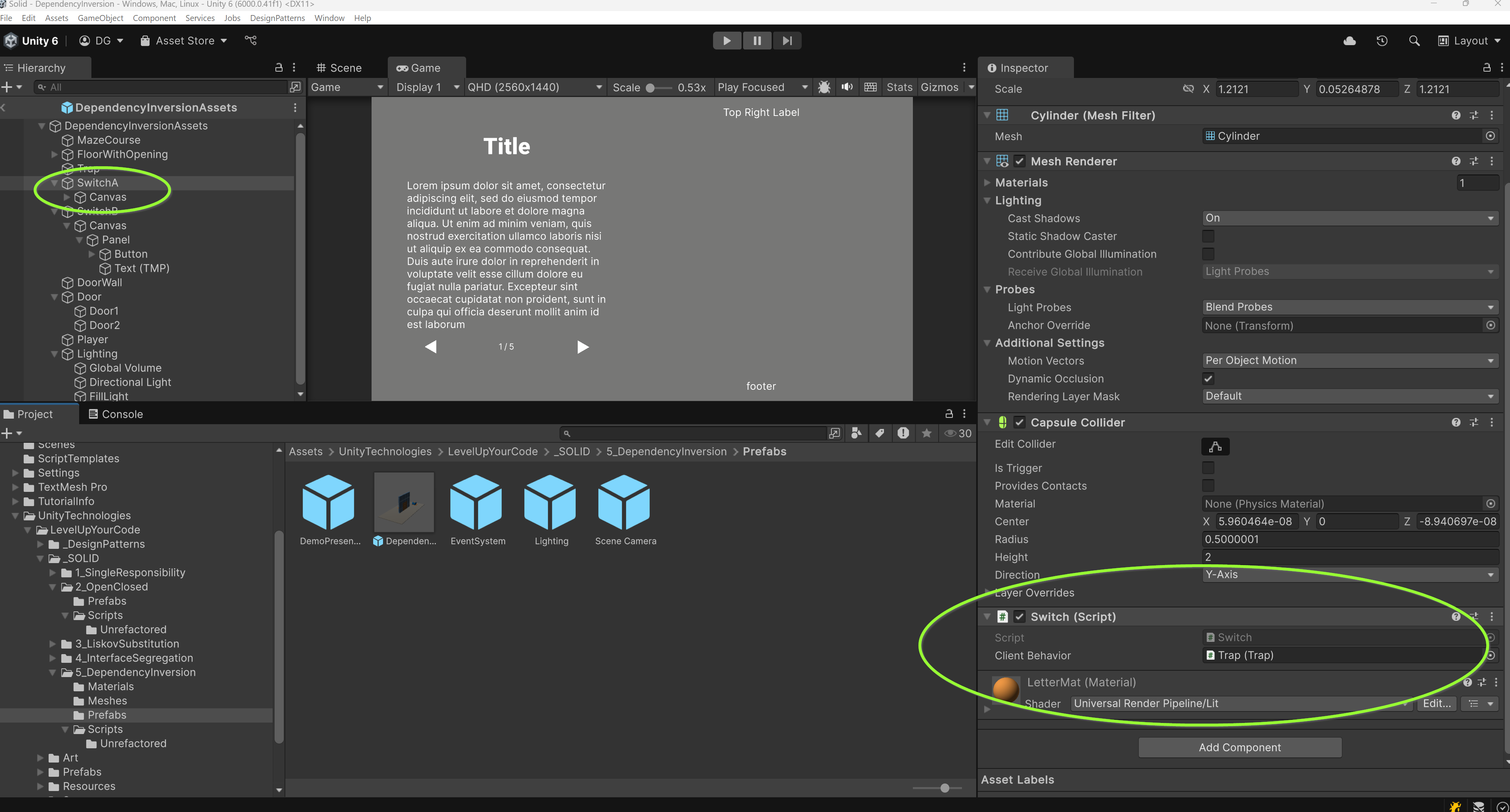
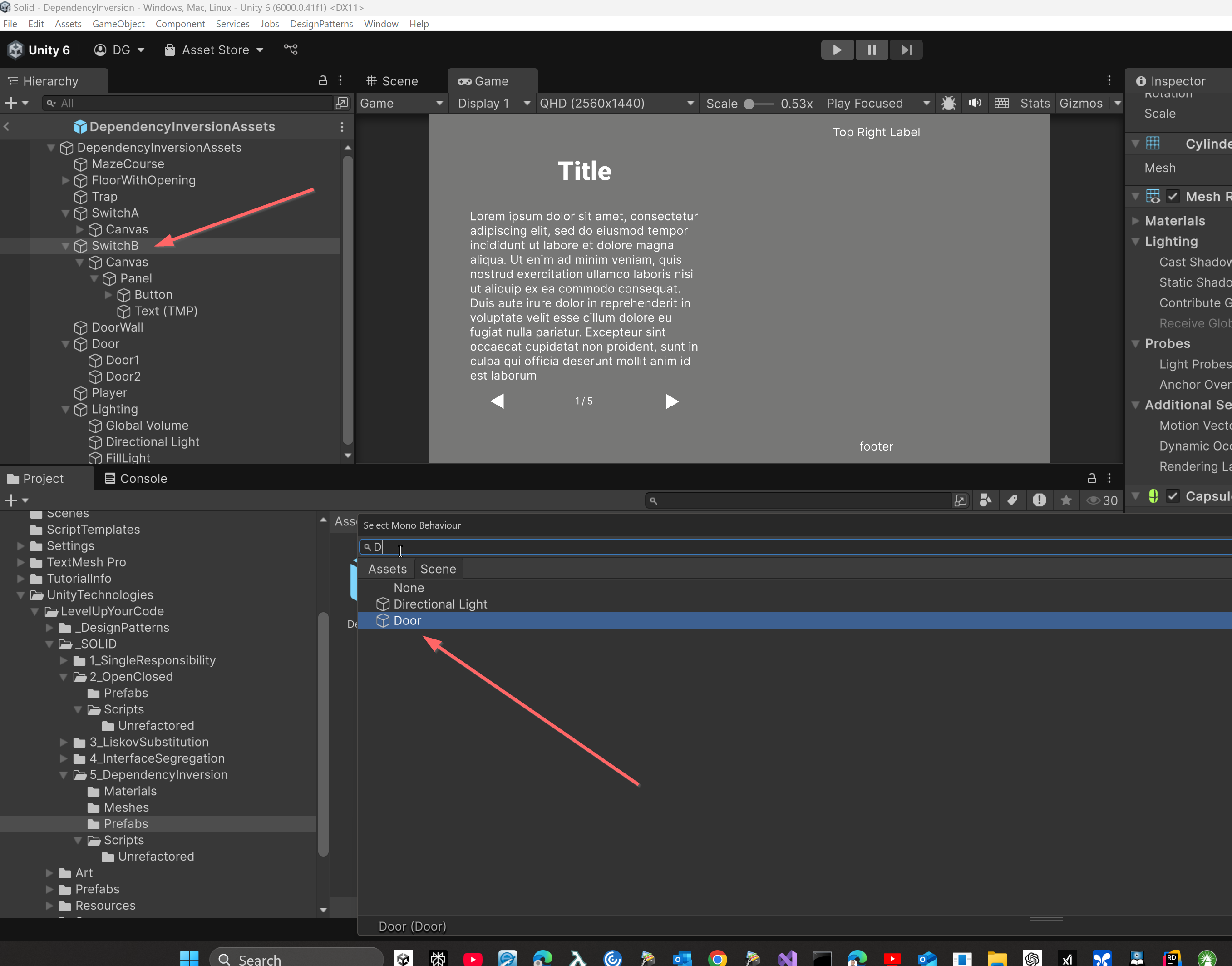
Switch.csscript. In the Inspector, you'll see a field for theSwitchcomponent. It will be labeled "Client Behavior" (Unity automatically formatsm_ClientBehaviorfor better readability).Drag the GameObject that has your
Door.csscript from the Hierarchy into the "Client Behavior" slot on theSwitchcomponent.Now, when
Toggle()is called on thisSwitchinstance, it will activate/deactivate that specificDoor.
If you had another
Switchinstance and assigned yourTrapGameObject to its "Client Behavior" slot, that switch would control the trap.
Why this is helpful (even if you don't prioritize SOLID principles):
This setup allows for the reuse of the Switch script for many different types of objects without modifying the Switch script itself. You merely specify which MonoBehaviour (that implements ISwitchable) it should interact with via the Inspector. If you later develop a new ISwitchable entity, such as a LaserBarrier, your existing Switch script is already equipped to work with it.
The OnValidate method in Switch.cs is a beneficial feature: it checks in the editor if the component assigned to the "Client Behavior" slot correctly implements ISwitchable. If not, it will display a warning in the console, assisting in the early detection of configuration errors.
See Also: